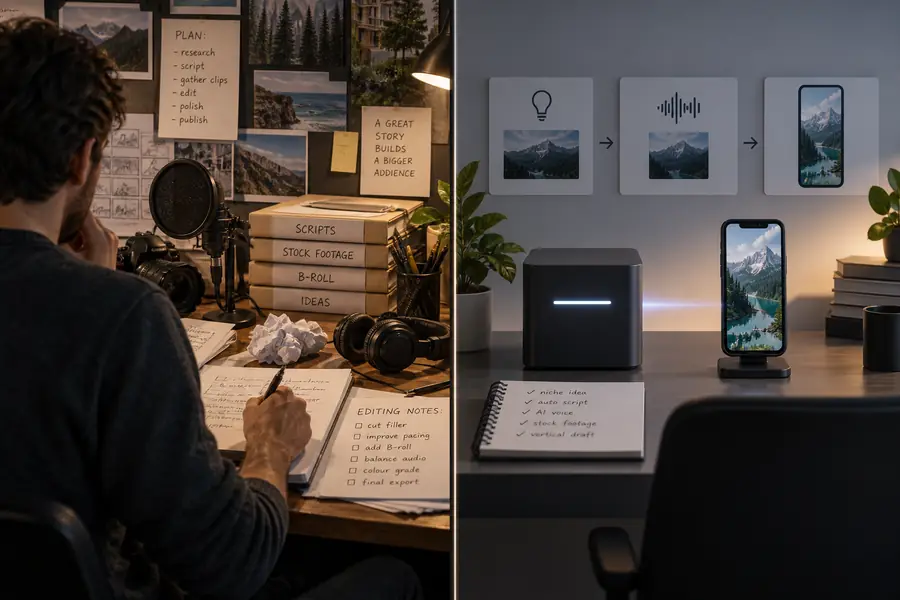
Build Better Clips with a Faceless Video Generator
A faceless video generator turns a topic, outline, or script into a structured short without requiring you to appear on camera. Describe the result you want, then refine the story, visuals, voice, and captions before publishing.
Core workflow
Step-by-step from prompt to post
The strongest results come from treating generation as a guided production process rather than a single magic button. Each stage gives you a useful checkpoint before the next one.
1
Shape the idea
Start with a specific audience, topic, mood, and runtime. A focused brief gives the generator enough direction to build a coherent narrative instead of a collection of unrelated shots.
2
Generate the first cut
The workflow can organize a script, voiceover direction, visual prompts, scene timing, and caption structure into a draft. Review the opening seconds first because the hook determines whether the rest earns attention.
3
Refine and export
Replace weak scenes, tighten pauses, check pronunciation, and make captions readable on a small screen. Export only after the pacing and message work together from beginning to end.
Practical applications
Built for different publishing goals
A reusable workflow is most valuable when it adapts to the person making the video. These examples show where a generated draft can remove repetitive production work without removing editorial judgment.
Solo educator
Turn a lesson, definition, or surprising fact into a concise explainer with supporting visuals and spoken narration.
Publish regular educational shorts while spending more time checking accuracy and less time assembling scenes.
The before-and-after difference is not only visual. A useful generated draft gives every scene a job, making it easier to spot missing context, repeated imagery, or a weak conclusion.
Before: loose concept
After: structured short
A draft is a starting point, not a final verdict. Check the facts, rights, pronunciation, and emotional tone before publishing.
Capability split
Manual editing vs assisted generation
Generation is most useful when you know which work to delegate and which decisions to keep human-led. This comparison separates repetitive assembly from choices that shape trust and quality.
Manual production
AI-assisted workflow
1
Starting point
Manual production
Blank timeline, script, assets, and edit plan
AI-assisted workflow
A focused topic, prompt, or draft script
2
Scene assembly
Manual production
Find, trim, and place each visual by hand
AI-assisted workflow
Generate a first sequence around the narrative
3
Narration planning
Manual production
Record or source voiceover separately
AI-assisted workflow
Pair the script with a selected narration direction
4
Caption timing
Manual production
Create and adjust captions during the edit
AI-assisted workflow
Start from timed captions and correct the wording
5
Creative control
Manual production
Maximum control from the first frame
AI-assisted workflow
Fast exploration, followed by human review
6
Fact checking
Manual production
Editor verifies the source material
AI-assisted workflow
Editor must still verify claims and context
7
Brand consistency
Manual production
Apply brand rules manually every time
AI-assisted workflow
Reuse a defined tone, visual brief, and format
8
Best use
Manual production
Final precision edits and signature style
AI-assisted workflow
Concept testing and repeatable short-form drafts
Planning calculator
Limits and edges
Use this simple estimate to see how output volume changes the value of an assisted workflow. It is a planning model, not a promise about rendering speed, platform reach, or final quality.
Estimated finished minutes
minutes
Manual assembly hours avoided
hours
Draft concepts to review
concepts
Common questions
FAQ
A generator can shorten the path from idea to draft, but it does not remove the need for a clear brief, responsible review, and a final publishing decision.
It is a tool or workflow that helps create videos without showing the creator on camera. It can organize a script, narration, visuals, captions, and scene timing into a draft that you review before publishing.
You provide a topic, prompt, or script, and the workflow uses that direction to assemble a sequence of scenes and supporting audio or text. The result should be treated as an editable first cut because wording, visuals, pacing, and factual accuracy still need checking.
Common formats include explainers, storytelling shorts, educational clips, product demonstrations, list videos, and narrated social posts. The best format depends on your audience, the platform, the source material, and how much original editing you add.
Usually, yes. Review the hook, claims, pronunciation, captions, visual relevance, music level, and ending before export, then adjust anything that feels generic or misleading.
It can reduce repetitive assembly and help you test ideas faster, but it does not replace creative direction or quality control. Editors remain important for brand consistency, rights checks, nuanced storytelling, and final polish.